POS · Sri Lanka
Frustrated With Your Current POS? How to Switch in Sri Lanka
Slow till. Poor support. Time to switch POS in Sri Lanka. AVENQUE migrates your shop to QPOS or QRPOS, trains the team, and stays on WhatsApp — with a switching discount if you already run another system.
2026-10-13 · By Aadhil Nazeer
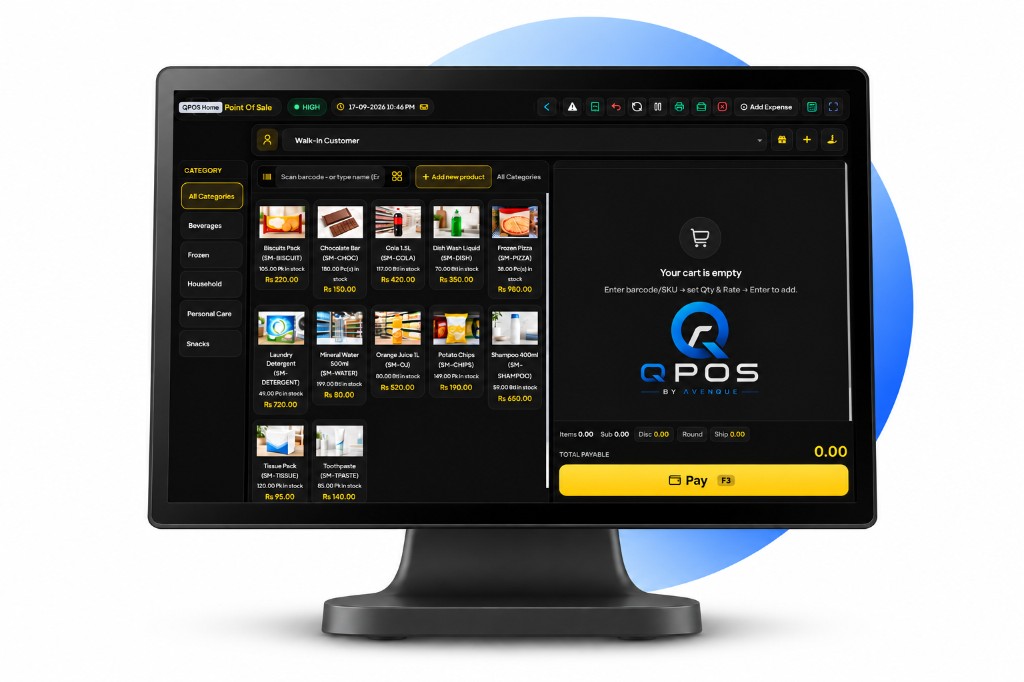
Frustrated with your current POS? Slow bills. Stock that never matches the shelf. A support number that does not answer on Saturday. That is the usual reason owners search how to switch POS system in Sri Lanka.
Time for a change. AVENQUE moves you to QPOS or QRPOS with migration assistance, setup and training, and a Kandy team on WhatsApp. If you already run another till, ask for the switching discount when you book the demo.
Call or WhatsApp +94 76 822 2201 / +94 77 251 4201 / +94 77 404 2201 / +94 77 451 1201. Office: 185/8 Galagedara Road, Katugastota, Kandy, Sri Lanka. Or start on POS in Sri Lanka.
Why shops switch POS (and wait too long)
Most owners stay with a bad till because they fear the changeover. The pain is already there:
- Slow systems — the queue grows while the screen thinks
- Poor support — no one comes when the printer jams
- Reports you cannot trust at month end
- A package that will not change when your menu or stock does
Switching is one planned morning. Living with a till that fights the floor is every Saturday. Read the wider POS system in Sri Lanka guide if you are still choosing between retail and restaurant.
Switch to AVENQUE with confidence
The switch is a service, not a USB stick and a prayer:
- Migration assistance — we move products, prices, and what your old POS will export, then show you what will not come across
- Setup and training — hardware on the counter, staff practising real bills before go-live
- Responsive support — Kandy answers +94 76 822 2201. WhatsApp the same numbers when something breaks
Our team guides you from setup to the first real sale. You do not get left with a login and a PDF.
Already using another POS? Get a switching discount
If another system is already on the counter, say so when you enquire. AVENQUE offers a special switching discount for shops that are replacing a live till — not a first-time buyer price dressed up as a sale. We confirm the offer on the demo, against your current POS and how many counters you run.
Bring a day-end from the old system. That tells us how painful the migration will be and what the switch is worth.
Which POS you switch to
- QPOS — retail, wholesale, tyres, spices, general shops
- QRPOS restaurant POS — waiter app, kitchen tickets, bakeries and cafés
- JewelMate — jewellery counters
- QOpticare — optical
Customisation is available for your business — modifiers, tax, receipts, and reports. That is the point of leaving a locked imported POS.
Shops that already run AVENQUE POS
Ask to see a live counter before you switch:
- Zingers Akurana — restaurant
- Fine Bakers Kandy — bakery
- Raja Tyre Shop — retail
- Hasaniya Opticals Akurana — optical
More work is on the portfolio.
How the POS switch actually happens
- Demo on your Saturday. We walk QPOS or QRPOS against your real tickets, not a sample shop.
- Migrate what we can. Products and prices first. Customers if the old export is clean.
- Train on the counter. Bills, voids, splits, day-end — the buttons staff will hit under pressure.
- Go live, then stay. The first busy session is when support matters. WhatsApp Kandy.
Book your POS demo
Bring the till you want to leave. We will show the switch, the training, and the discount if you already pay for another POS. Customisation is available — tell us the rule the old system will not do.
Contact AVENQUE, call or WhatsApp +94 76 822 2201 / +94 77 251 4201 / +94 77 404 2201 / +94 77 451 1201, or email hello@avenque.io. Visit AVENQUE Kandy.
Frequently asked questions
How do I switch POS system in Sri Lanka without closing the shop?
AVENQUE migrates products, prices, and staff logins before go-live, then trains the team on your counter. Most shops switch after close or on a quiet morning so Saturday still runs.
I already use another POS. Do I get a switching discount?
Yes. If you are already on another till, ask for the AVENQUE switching discount when you book the demo. We confirm the offer against your current system and shop size.
Will you migrate my products and customers from the old POS?
Yes. Migration assistance is part of the switch — catalogues, prices, and the records we can export from your current POS. We tell you what will not come across before you sign.
Do you train staff after we change POS?
Yes. Setup and training happen on your till, with your menu or stock. Managers and counter staff practise bills, voids, and day-end before we leave.
What if the new POS fails on the first busy day?
Call or WhatsApp +94 76 822 2201 or +94 77 251 4201 or +94 77 404 2201 or +94 77 451 1201. AVENQUE support is in Kandy, not a foreign ticket queue.
Which AVENQUE POS should I switch to?
QPOS for retail, wholesale, and shops. QRPOS for restaurants, bakeries, and cafés that need a waiter app. JewelMate or QOpticare if the counter is jewellery or optical.
Can you customise the POS for my business?
Yes. Billing rules, modifiers, receipts, and reports can be tailored. That is why shops leave a locked imported till — the next menu change should not wait on a vendor abroad.